
AI shopping agents recommend Shopify stores from your store's own data. These 9 checklists show you how to fix that data, using a real store as the example.
In November 2026 I typed 10 real buyer searches into ChatGPT, the kind of thing a parent types when shopping for a senior night gift. My own Shopify store, Collage and Wood, didn't show up in a single answer. My Etsy shop showed up once.
I've sold handmade gifts online since 2014. I have hundreds of reviews. So why was an AI shopping agent skipping my store?
The answer was my store data. AI shopping agents recommend Shopify products using what your store tells them: your Knowledge Base, your product fields, your reviews, your shipping settings and your policies. When those sources disagree, or leave gaps, the agent either skips you or repeats the wrong answer.
That's what agentic commerce means for a small Shopify store. An AI agent does the shopping research, and sometimes the checkout, for your customer. Your store gets chosen only if the agent can understand it and trust it.
This series walks you through the 9 checklists I used to clean up my own store. Each one works for any Shopify store, Claude does most of the heavy lifting, and each one shows you what I actually found at Collage and Wood.
Where AI shopping agents get your store's facts
An AI agent doesn't browse your store the way a customer does. It reads your store data. For a Shopify store, these are the five sources that matter most:
- Shopify Knowledge Base. A list of store facts and FAQs that Shopify builds by scanning your site. Agents quote these facts word for word.
- Product fields. Category, attributes like color and material, descriptions, SEO descriptions and tags, sent through Shopify Catalog.
- Review data. The star rating and review count your reviews app saves on each product.
- Shipping settings. Your shipping zones decide which countries your store says it delivers to.
- Store policies. Returns, shipping and contact details that agents repeat when a shopper asks.
Here's the catch. Shopify fills the Knowledge Base by scanning your pages and settings. So if one page says the wrong thing, the wrong thing becomes a store fact. At Collage and Wood, Shopify's scan described my shop as veteran-owned. My site never said that. Fixing one source isn't enough; every source has to tell the same story.
The 9 agentic commerce checklists for Shopify
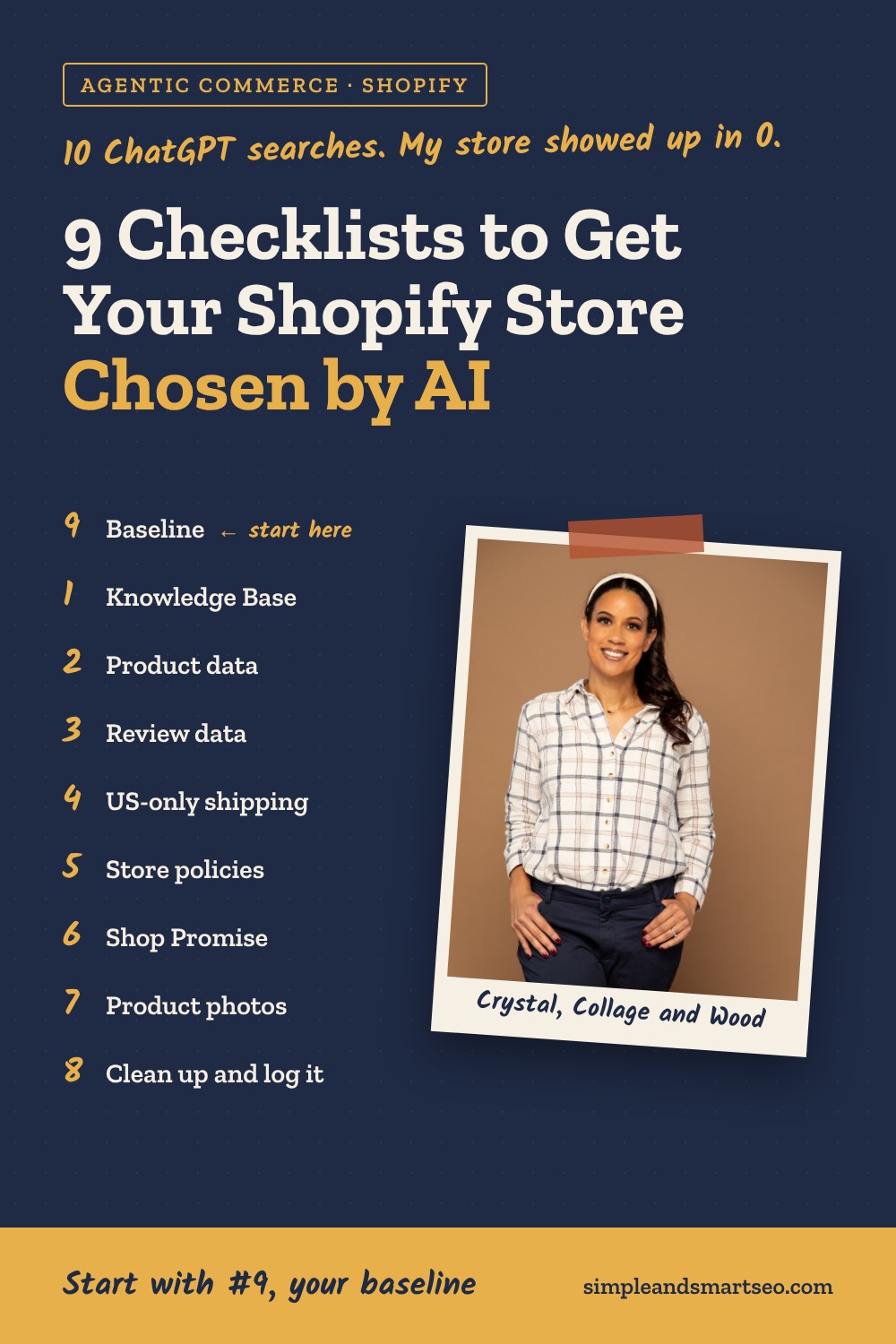
Record your baseline from #9 first, then work the checklists in this order. Each article has the full checklist, the prompts to give Claude, and what I found on my own store.
| # | Checklist | What it fixes | Time |
|---|---|---|---|
| 1 | Shopify Knowledge Base | Wrong or missing store facts and FAQs that agents quote | 1 to 2 hours |
| 2 | Product Data AI Agents Read | Vague categories, empty attributes, claims your policies don't back up | 2 to 4 hours |
| 3 | Review Data | Products that show no stars, even when the store has plenty of reviews | 1 hour |
| 4 | US-Only Shipping Settings | Leftover international zones and app profiles | 30 minutes |
| 5 | Store Policies | Mismatched contact details, leftover code, broken links | 30 to 60 minutes |
| 6 | Shop Promise | Deciding whether Shopify's Shop Promise badge fits your store | 15 minutes |
| 7 | Product Photos | Single-photo listings, placeholder images, missing alt text | Ongoing |
| 8 | Clean Up and Documentation | Copied tags, outdated details, and a log of every change | Ongoing |
| 9 | Measuring Results← start hereStart here | A baseline, a monthly AI visibility check, before and after tests | 30 minutes, then monthly |
Why this order works
- Start with the #9 baseline. Record your numbers before you change anything, or you'll never know which fix helped.
- #1 shows you the problems. Reading your Knowledge Base shows where your store contradicts itself. Most of the other checklists fix those sources.
- #4 and #5 fix the sources the Knowledge Base scans, so the next scan doesn't bring old facts back.
- #2 and #3 are your biggest levers for getting recommended: specific product data and visible star ratings.
- #6, #7 and #8 are finishing work. The change log from #8 runs alongside every other checklist.
What you need before you start
- Claude with the Shopify connector and Claude in Chrome. Some settings, like policies and the Knowledge Base, have to be edited in your Shopify admin, and Claude can do that through Chrome.
- Google Search Console access, plus a Google Sheet to track changes.
- Your reviews app. Most review apps can share reviews across similar products.
What I found at Collage and Wood
I ran all 9 checklists on my own store in November 2026. Here's what they turned up.
| Checklist | What I found | What changed |
|---|---|---|
| Knowledge Base | Mostly Shopify's default facts, a handful of FAQs, and a "veteran-owned" claim that wasn't true | About 70% more published facts, almost 5 times as many FAQs, false claim removed |
| Product data | About 1 in 4 active products had no category or a generic "Decor" category | About 95% of active products now have their category fields filled in |
| Reviews | About 30% of active products had fewer than 5 reviews showing | Review groups rebuilt so similar products share their reviews |
| Shipping | Old international zones told agents I ship almost everywhere; I ship only in the US | International zones and dozens of leftover app profiles deleted |
| Policies | Every policy used an old email address | Every policy now matches the Knowledge Base and FAQ |
| Photos | About 7% of active products had only one photo | Still open; new photos are on my list |
The early numbers are mixed, and that's normal for a seasonal store. Store sessions were down about 47% from the same 30 days last year, but my conversion rate was about double. One updated blog post went from 1 click to 6 for its searches. AI channels can take 4 to 8 weeks to pick up changes, so I'm checking every month and comparing season to season.
Agentic commerce FAQ
What is agentic commerce? Agentic commerce is shopping done with help from an AI agent, like ChatGPT, that researches products, compares stores and sometimes checks out for the shopper.
Do I need to be a big store for AI agents to recommend me? No. AI agents choose stores they can understand and trust. Clear, consistent store data matters more than store size.
Can I do these checklists without Claude? Yes. Every step can be done by hand in your Shopify admin. Claude just makes the checking much faster.
How often should I rerun the checklists? Check your Knowledge Base every 3 months and after any policy, shipping, pricing or product line change. Run the AI visibility check from #9 once a month.
Want help with your Shopify store?
Want to do it yourself, with help? Join AI SEO Skool. We work through these checklists together on our weekly live calls. Bring your Shopify store and your questions, and leave with your next fix done.
Want it done for you? Book a free 20-minute call with me, and we'll talk through what your store needs.