
A Shopify product with no reviews looks untested to an AI shopping agent. Use review groups to share reviews across similar products, without collecting new ones.
Part 3 of the Agentic Commerce Checklists for Shopify series.
I have 600+ reviews across my platforms. But when I checked my Shopify store, about 30% of my active products showed fewer than 5 reviews, and almost all of those showed none.
To a customer, that's a little odd. To an AI shopping agent, a product with no reviews looks untested, even when the store behind it has hundreds.
AI shopping agents read each product's star rating and review count from fields your reviews app saves in Shopify (reviews.rating and reviews.rating_count). Many review apps can share reviews across similar products with review groups (sometimes called product groups). Review groups can fix most of those gaps without collecting a single new review.
When to check your review data
- The day after you add a new product (many review apps refresh their groups overnight)
- The day after you create, edit or delete a review group
- The day after you change a product title that uses quotes or other punctuation
- The day after you publish a new theme copy (check that your reviews still show on the new theme)
- Once a month, alongside your monthly AI visibility check
Find products with fewer than 5 reviews
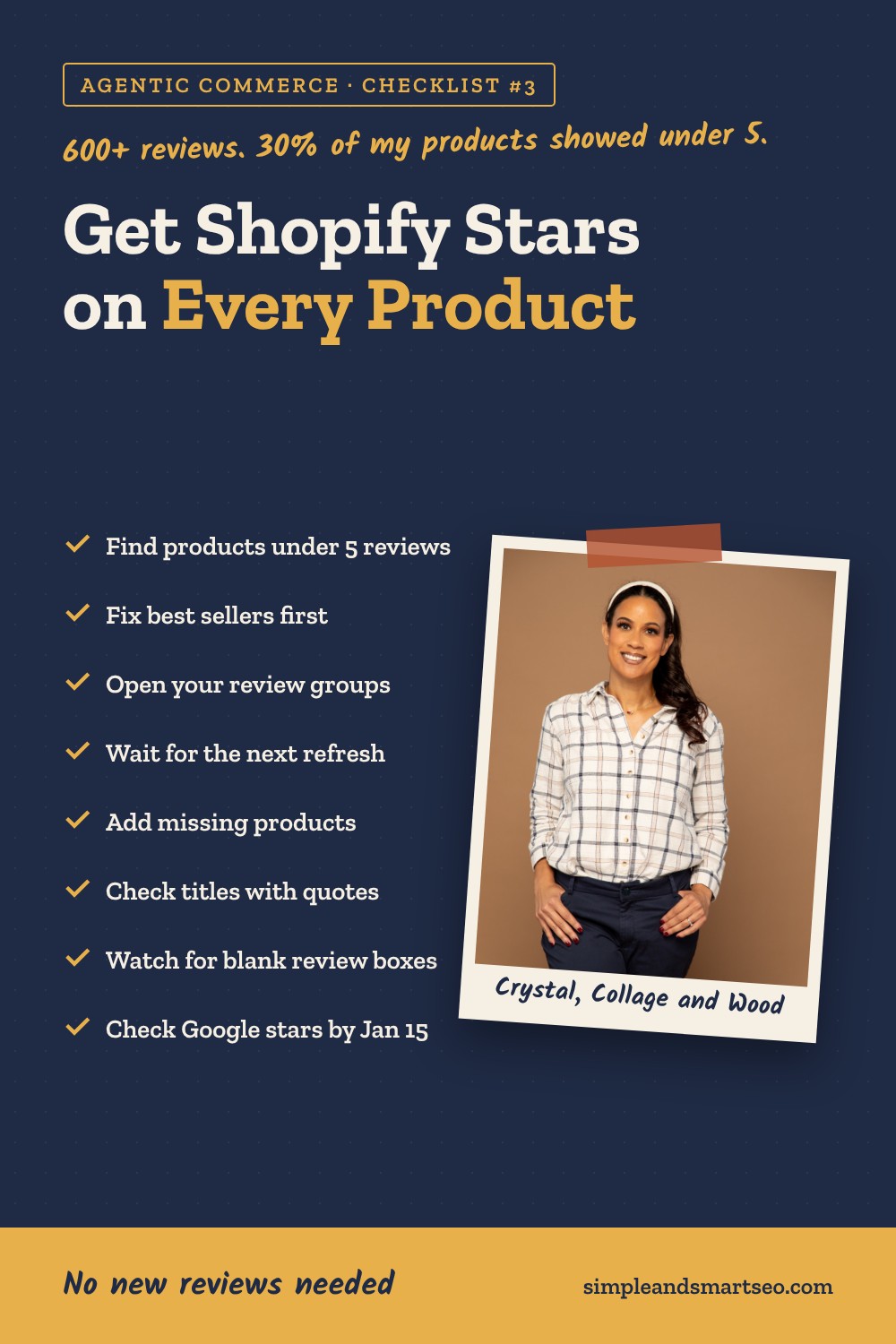
- Pull the list. Ask Claude: "List my active products with fewer than 5 reviews in reviews.rating_count, grouped by product line."
- Find the highest-value gap. Sort the list by what sells most or matters most this season. Fix those products first. An internal add-on or gift card can stay at zero.
- Look for shared counts. If every product in a line shows the same number, your app is already pooling reviews by group, and the zero-review products are usually just missing from their group.
- Check titles with quotes. A product title that quotes a customer but shows no rating looks inconsistent to an agent. Move those products to the top of the list.
Fix it with review groups
- Open your review groups. In your reviews app's settings, look for product groups or review sharing.
- Check when groups refresh. Some apps update groups on a schedule, often overnight. If you just changed something, wait for the next refresh before judging the numbers.
- Check each group's counts. A group that shows 0 reviews, or the same count as another group, hasn't refreshed yet.
- Open each group you changed. Scroll the product list. Look for products that belong there but are missing, and products that don't belong.
- Check titles. In that same list, look for stray codes like
"or&in product names. If one shows up, recheck the next day. It usually clears after a refresh. - Find products with no stars. Ask Claude: "List my active products with no reviews.rating_count." Any product on that list that fits one of your review groups needs adding.
- Add missing products. Add them to the right group and save. Then refresh your groups, or wait for the next scheduled refresh.
- Spot-check your storefront. Open one product page from each group you changed and confirm the stars and review count show.
- Log it. Add every product you added, moved or fixed to your SEO tracker.
Normal vs. needs fixing
| What you see | What it means | What to do |
|---|---|---|
| A group shows 0 reviews or another group's numbers | The group hasn't refreshed yet | Wait for the next refresh, then check again |
| Product pages show a different count than the group | Shopify's stored count lags behind your reviews app | Give it a week; if it's still off, ask Claude to recheck |
| A product page shows no stars | The product isn't in any group | Add it to the matching group (step 7) |
| A product page shows a blank reviews box | Your template shows a saved copy of the reviews that your app has emptied | Use your app's review widget app block (see below) |
" or & in a title |
Your reviews app cached an old title | Recheck the next day; if it stays, edit and resave the title in Shopify |
| A product is in the wrong group | The wrong reviews are showing on that product page | Remove it from that group and add it to the right one |
Watch out: a new review widget can leave a blank reviews box
In November 2026, the reviews box on some of my Collage and Wood product pages went blank. The reviews were still in my reviews app. The box on the page was just empty.
Here's the best explanation I found. My reviews app switched my store to its new review widget, which builds the reviews right in the shopper's browser. With the new widget, the app no longer needs the saved copy of the reviews it used to keep on each product, so it empties that saved copy product by product whenever it re-syncs a product. Products in the same review group were emptied together.
My custom product templates were showing that saved copy instead of using the app's own app blocks. That shortcut worked with the old widget and broke silently with the new one. Pages that already used the app's blocks, like my review carousels, kept working.
How to check your store
- Look at every product template you use. Open one product page from each template, especially custom ones, and scroll to the reviews. A blank box where reviews should be is the sign.
- Find the affected products. Ask Claude: "Check my products for a saved review widget from my reviews app that's now empty."
- Watch for your reviews app's theme emails. Some review apps email you each time you publish a new theme copy, asking you to add their widgets. Treat that email as your reminder to turn on the app embed and add the review widget app block.
- Recheck monthly. The app empties the saved copy over time, so a page that works today can go blank later.
How to fix it
- Use your reviews app's review widget app block on every product template. The app block loads reviews in the browser, so it doesn't depend on the saved copy.
- Keep the stars next to the price working by reading Shopify's standard review fields (
reviews.ratingandreviews.rating_count), which your reviews app keeps updated. Link the stars to the reviews section on the page.
For your developer
- Don't print the review app's saved widget metafield in custom sections. With the new widget, it can be an empty
<div></div>. - An old placeholder div from the app's original install instructions stays blank with the new widget. The page needs the app block.
- Put the review widget app block in a section that accepts
@appblocks. Shopify allows only one product picker setting in a section with app blocks, so if your section has two, give the app block its own section.
At Collage and Wood, the blank boxes showed up on single products from November 8 to 13, then on every collage and poster page on November 18. I rebuilt my poster and collage templates with the review widget app block, and I'm checking my other templates every month.
Google Shopping stars: check your reviews app's feed before January 15, 2027
My reviews app is retiring its old Google Shopping review feed. After January 15, 2027, Google stops accepting reviews from that old feed, and the app turns it off. To keep star ratings on Google Shopping, I have to move to the app's new feed and have at least 50 reviews that qualify for it.
If your reviews app sends star ratings to Google Shopping, check whether it's making the same change. For my app, only reviews collected through the app's own review requests, with written text, count for the new feed. Imported reviews (like the ones I brought over from Etsy) and star-only reviews stay on my store, but they don't go to Google.
This one surprised me. In October, my reviews app told me only about 4% of the reviews I was sending to Google counted for the new feed, which left me well short of 50.
- Check your count in your reviews app's Google Shopping settings. Some apps offer the Google Shopping feed only on a paid plan.
- Ask for written reviews now. If you're short, send review requests through Black Friday and Cyber Monday.
- Switch once you reach 50, before your app's deadline.
If your store relies on imported reviews, check early. Your total review count can look healthy and still fall short on the new feed.
What I found in the Collage and Wood review data
- About 30% of active products had fewer than 5 reviews, and almost all of those had none. The highest-value gap was senior night and sports: my newer Identity Series pages, the Cheer and Color Guard collages and posters, and the stadium blanket.
- Counts were already shared by group. Every wooden letter showed the same count, every photo prop showed the same count, and so on. The zero-review products were simply missing from their groups.
- I created a Poster Collages group, and every poster page now shows the same review count.
- Rebuilding the groups cut my Sports Collages count by about two thirds. Some collage reviews live on products outside that group, starting with the Soccer Ball Collage. That's the first thing I'm fixing.
- Titles with punctuation showed
"in my reviews app. The code cleared after the overnight refresh. - My Wooden Letters and Numbers product pages still show an older, higher count than my reviews app. Shopify's stored count lags behind, so I'm rechecking it a week later.
Some products don't fit any group yet, like the stadium blanket and business signs, and that's OK for now. Gift vouchers, planning guides and rush fees should never be grouped.
Next in the series
Stars build trust, but a wrong shipping answer breaks it fast. Checklist #4: US-Only Shipping Settings shows you how leftover shipping zones can tell AI agents you ship worldwide when you don't.
Want help with your Shopify store?
Want to do it yourself, with help? Join AI SEO Skool. We work through store fixes like this one together on our weekly live calls. Bring your Shopify store and your questions, and leave with your next fix done.
Want it done for you? Book a free 20-minute call with me, and we'll talk through what your store needs.