
Turn an old freebie into an on-brand lead magnet that lives on your Shopify product pages and goes out on social every month, with Claude. 7 steps and 6 lessons.
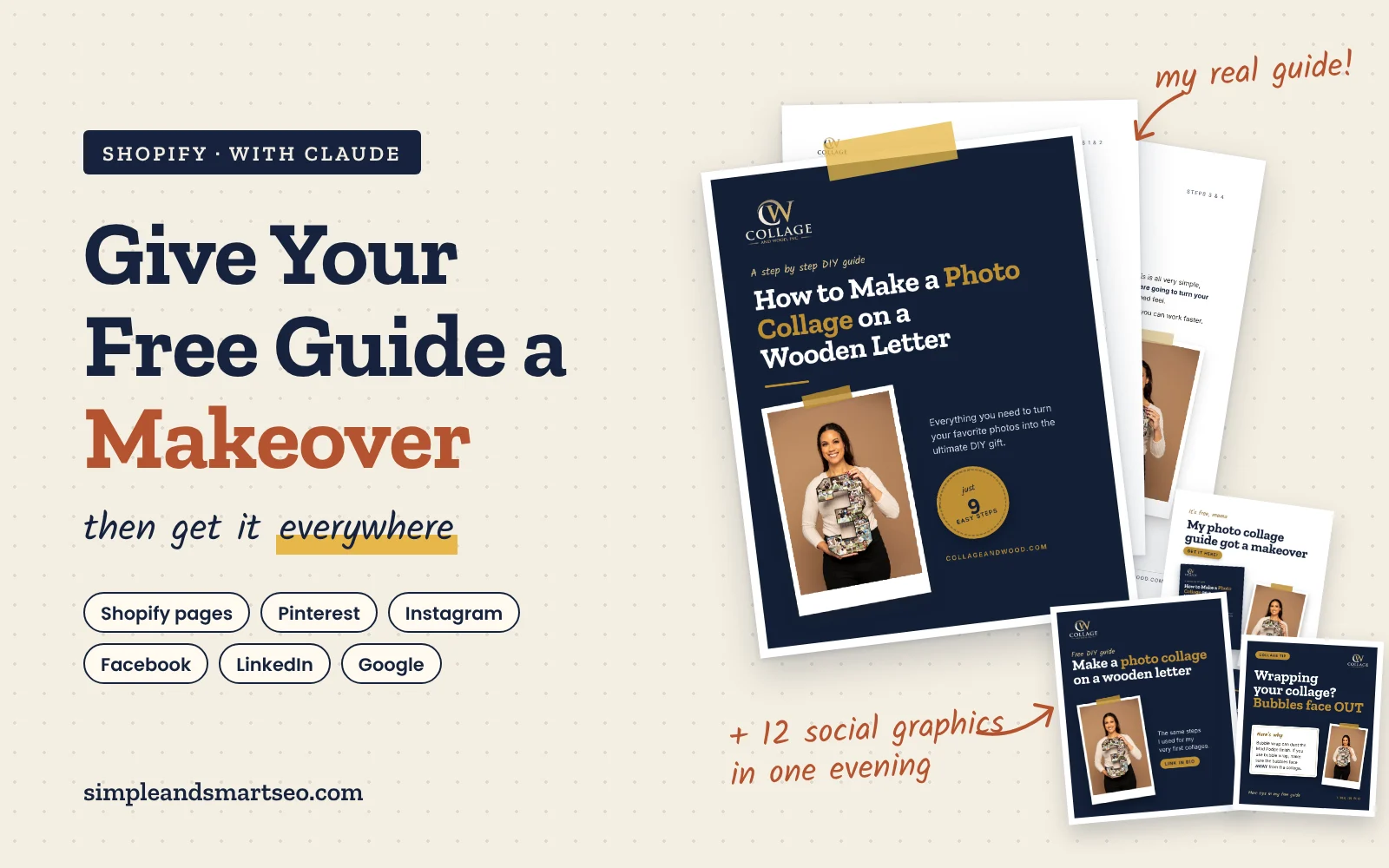
I had a free DIY photo collage guide sitting on my Collage and Wood store. Like most freebies, I made the guide once, linked the guide in a few places and forgot about the guide.
When I finally opened the PDF again, it had an old email address, old colors and links scattered all over my store. Some of those links I didn't even remember adding.
So I spent one evening with Claude and turned that old freebie into a fresh, on-brand lead magnet. Now the guide lives on my shopping pages and goes out on social every single month, without me thinking about it.
Inside AI SEO Skool, we call this a Get Everywhere activity: optimize AND distribute. Making the guide better is only half the job. Getting the guide in front of people is the other half.
Why your old freebie deserves a second look
Your free guide already did the hard part. You wrote the guide, you designed the guide and people downloaded the guide. Most of us just stop there.
And this works with any freebie, not just a collage guide:
- A care guide
- A size chart
- A gift guide
- A how-to
If it helps someone decide to buy, a freebie deserves a spot on your shopping pages and on your social calendar.
What I had at the end of one evening
- My free guide rebuilt with my own brand photos, colors and fonts
- The new PDF hosted in Shopify, with every old link swapped to the new one
- A free guide box on the product and collection pages where the guide actually helps people buy
- 6 rotating social covers, plus 6 pin-size versions for Pinterest
- A launch burst on Pinterest, plus a monthly post on Instagram, Facebook, LinkedIn, Google Business Profile and Pinterest
- Every change logged in my SEO tracker, so I can see what worked
The 7 big moves (the short version)
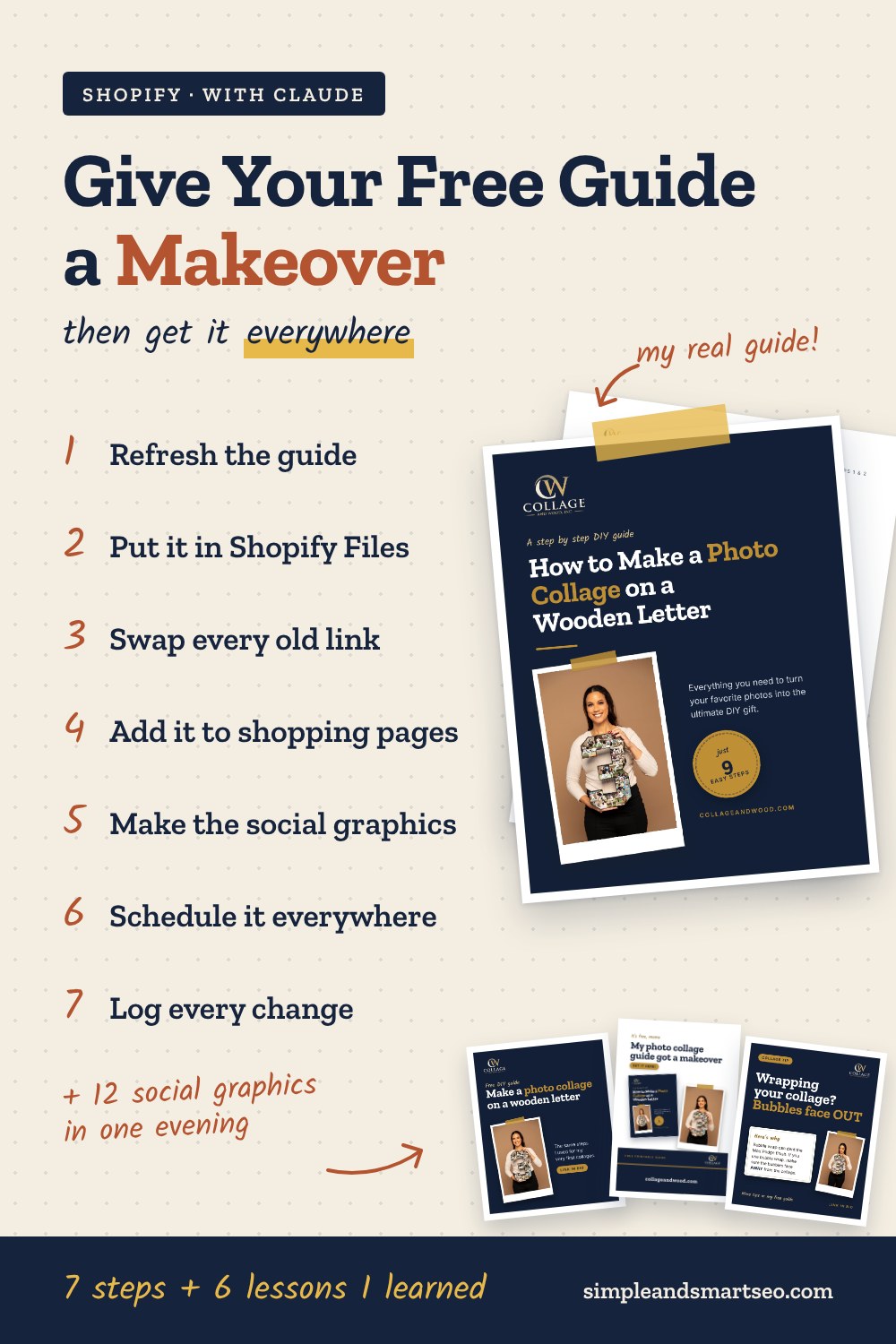
1. Refresh the guide. I gave Claude my old PDF and asked Claude to rebuild the guide with my brand photos, colors and fonts. Claude pulled my logo, colors and fonts straight from my Shopify theme. My job was checking the photos, the colors and the facts.
2. Put the PDF in Shopify. A keyword-rich file name, uploaded to Shopify Files, so the guide lives on my own store and not on some random drive.
3. Replace every old link. Old links hide in more places than you think. Mine were in a theme section, a blog post (twice) and my About page. Claude found every one of those links for me.
4. Add the guide to shopping pages. I put a free guide box on every wooden letter and number page and the collection page. One template change covered every product that uses that template.
5. Make the social graphics. Six covers, each with a different hook and a different photo, plus pin versions for Pinterest.
6. Schedule the guide everywhere. A launch burst first, then a monthly rotation so the guide never goes quiet. Claude scheduled all of the posts through Metricool.
7. Log every change. If you don't write down what you changed, you can't tell what worked. I log every change, then check back in 28 days.
What I learned doing this myself
This is the part I wish somebody had told me before I started.
Check your colors on your own screen. A cream background from my theme looked pink and purple on my screen. I switched every text page to white.
Tell Claude exactly which file you mean. I said "this guide" when I meant one social graphic, and Claude almost changed the PDF. Be specific and you'll save yourself a redo.
Theme copies can undo your work. I almost published a copy of my theme made before the guide changes went in. Claude caught the problem and added the changes to the copy first. Publishing that old copy would have quietly erased everything.
Watch for repeated words. My first pins said "free guide" three times. Trimming one line fixed the problem.
Headlines have to match the tip. "Don't use bubble wrap" clashed with "bubbles face away." The new headline became "Wrapping your collage? Bubbles face OUT."
Look for old links everywhere (hint: use Claude!). Old links hide in your theme, blog posts, About page and FAQ. Instead of clicking through every page yourself, ask Claude to search your whole store for the old link and swap in the new one. If you only fix the first old link you find, people will keep landing on the outdated guide.
The full checklist (and the prompts) are inside AI SEO Skool
The short version above shows you the path. The full checklist shows you every step.
Inside AI SEO Skool, you'll get the complete Refresh Your Free Guide and Get It Everywhere checklist, including:
- The before-you-start list, so you have everything ready
- Every checkbox for all 7 steps, including the ones that are easy to skip
- The copy-and-paste Claude prompts I used for each step
- The launch and monthly posting schedule, laid out by platform
And you won't be doing this alone. We work through this kind of project together on our weekly live calls, so if you get stuck, you've got people to help.
Want to do it yourself, with help? Join AI SEO Skool and grab the checklist.
Rather have someone do it for you? Book a free 20-minute call, and we'll talk through whether you want my team to refresh your free guide and get it everywhere for you.