
Clean product data and a written log of every change make your Shopify SEO fixes stick. Use this checklist to fix copied tags and track what moved your numbers.
Part 8 of the Agentic Commerce Checklists for Shopify series.
My Cross Country senior night poster was tagged for hockey. My Father's Day backdrop letters were tagged for Mother's Day and Easter 2026.
Tags like these usually sneak in when you duplicate a product to save time and never go back to check. But AI shopping agents read those tags, and a hockey tag on a cross country poster muddies what the product is.
This checklist covers the clean up, plus the habit that makes every other checklist in this series stick: a written log of every change. Without the log, you can't tell which fix moved your numbers.
The clean up and documentation checklist
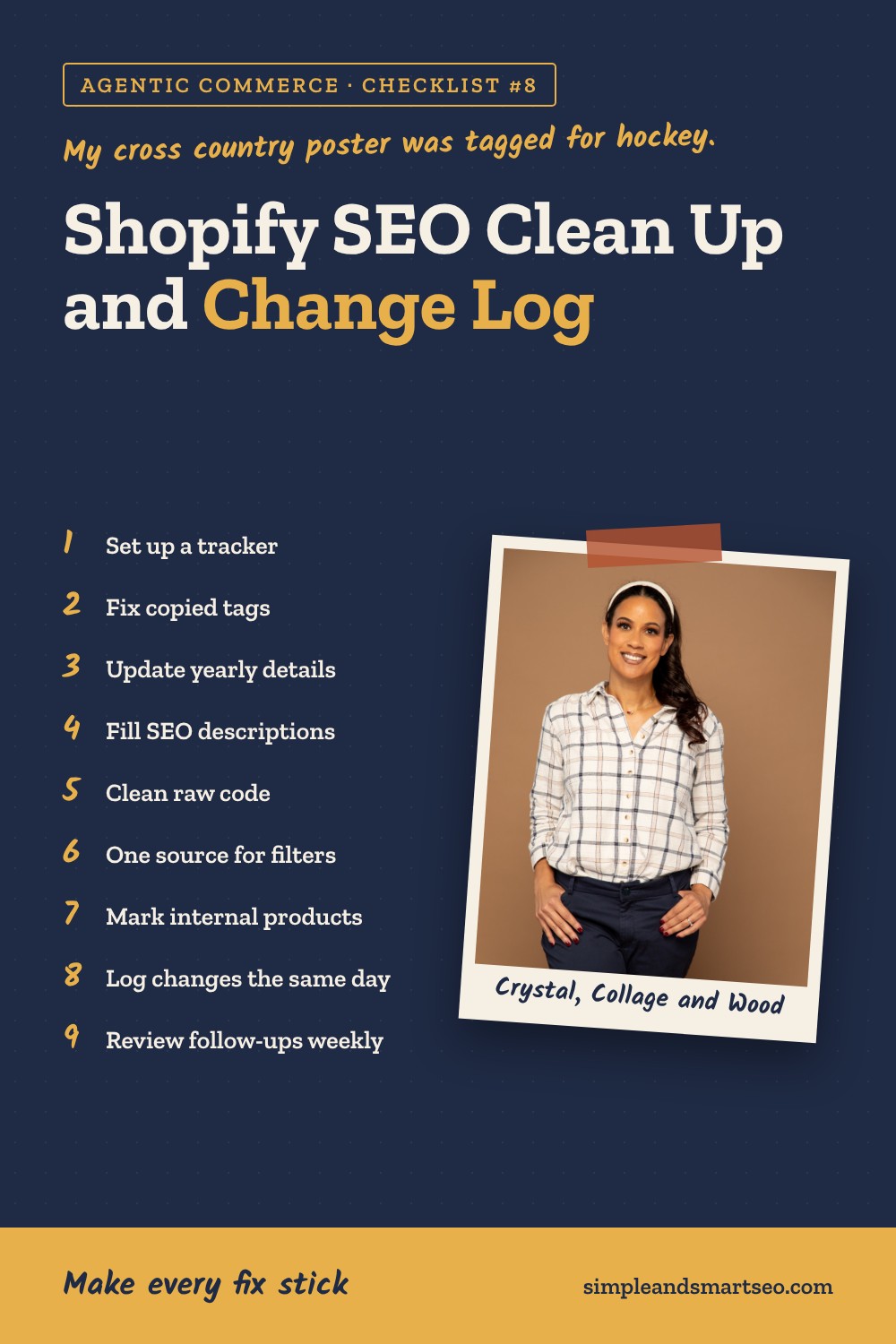
- Set up a tracker before you change anything. A Google Sheet with a Changes Log tab (date, ID, change, page, why, notes, how to measure, done by) and a Follow-ups tab (item, what, when, status).
- Fix copied tags. Ask Claude: "Find tags that don't match the product, like another sport, another holiday or last year's date." Correct them, and add tags to any product with none.
- Update yearly details. Graduation years, "Class of" wording and seasonal tags. Set a reminder for the date they roll over.
- Fill missing SEO descriptions. Every active product and collection needs an SEO description under about 155 characters.
- Clean raw code out of descriptions. Shoppers and agents should never see
<p>,–or empty tags. - Keep one source of truth for filters. If you use custom fields (metafields) for your site filters, decide whether Shopify's built-in category fields should mirror them, and mirror them for each new product.
- Mark internal products. Tag add-ons and fees
do-not-listand exclude that tag from your automated collections. - Log every change the same day. Include how you'll measure it, so the follow-up check is already planned.
- Review your Follow-ups tab weekly. Close what's done, and write down why when you decide not to do something.
What I found at Collage and Wood
| What I found | How I fixed it |
|---|---|
| My Cross Country poster carried hockey tags | Corrected |
| My Father's Day backdrop letters carried Mother's Day and "easter 2026" tags | Corrected |
| Several graduation photo props were still tagged 2026 | Updated to 2027, with a reminder to swap 2026 for 2028 on January 1 |
| My number sets had no tags | Tags added |
| A handful of sport collages had no SEO description | Written |
My rush production add-on showed raw <p> and – code |
Cleaned |
| My custom fields ran the site filters, while Shopify's category fields were empty | Mirrored into Shopify's category fields; every new product now gets the same step |
Every change went into the Changes Log of my SEO tracker the same day, with open items on its Follow-ups tab.
Next in the series
Your change log tells you what you did. Checklist #9: Measuring Results shows you whether it worked, with a baseline, a monthly AI visibility check and before and after tests built for seasonal stores.
Want help with your Shopify store?
Want to do it yourself, with help? Join AI SEO Skool. We work through store fixes like this one together on our weekly live calls. Bring your Shopify store and your questions, and leave with your next fix done.
Want it done for you? Book a free 20-minute call with me, and we'll talk through what your store needs.