


Leaving Wix, Squarespace or another drag-and-drop builder? What Astro, GitHub and Netlify do in plain English, what it costs and how I moved in 3 days.
A few months ago, I had never heard of Astro, GitHub or Netlify. Now my whole website runs on those three tools.
In November 2026, I moved simpleandsmartseo.com off Wix. Wix did everything in one place: the design, the hosting, the blog, the bookings. Leaving Wix meant splitting that one place into three tools, and each tool came with new words I had to learn.
So why leave? The Wix drag-and-drop editor was really difficult to use. The cost of Wix wasn't just the monthly bill. The cost was also my time, and my ability to make changes fast and push out content.
If you're thinking about leaving Wix (or Squarespace, or another all-in-one builder), here's what each tool does, in plain English, and how the three work together.
Quick definitions
Save this table. These are the new words you'll see when you leave an all-in-one website builder.
| Word | What it means in plain English |
|---|---|
| Astro | A free tool that turns your pages, blog posts and photos into a fast website. Astro builds the site. |
| GitHub | An online home for your website's files that saves every change you make, so any change can be undone. GitHub stores the site. |
| Netlify | A hosting company that takes the files from GitHub, builds the site with Astro and puts the site online. Netlify publishes the site. |
| Repo (repository) | The folder on GitHub that holds every file for one website. |
| Commit | One saved change in the repo, with a note about what changed and when. |
| Main branch | The official version of the site in the repo. A change on the main branch goes live. |
| Push | Sending a change from your computer (or from Claude) up to GitHub. |
| Build | Astro turning the files in the repo into finished web pages. |
| Deploy | Netlify putting the newly built pages online for visitors. |
| Static site | A website made of finished pages that load fast, because nothing has to be put together while a visitor waits. |
| Data file | A file that holds only information (titles, dates, text), not design. Astro pours that information into page templates. My blog posts all live in one data file, called posts.json. |
| .json file | A data file written in JSON, a simple format of labels and values, like "title": "5 Shopify Store Fixes". People and computers can both read a .json file. |
| .astro file | A page or template in Astro. The design and layout live in .astro files. |
| .md file (Markdown) | A plain text file with simple marks for formatting, like # for a headline. Many Astro blogs keep each post in its own .md file. |
| .toml file | A settings file. On Netlify, netlify.toml holds settings like redirects (where old addresses should send visitors). |
| Domain | Your web address, like simpleandsmartseo.com. |
| DNS | The address book that tells browsers which company is hosting your domain. |
| Registrar | The company you pay to own your domain. The registrar doesn't have to be the company hosting your site. |
What is Astro?
Astro is a free, open-source web framework for building content-driven websites like blogs, marketing sites and online stores (Astro). A framework is a set of ready-made building blocks, so nobody starts from a blank page.
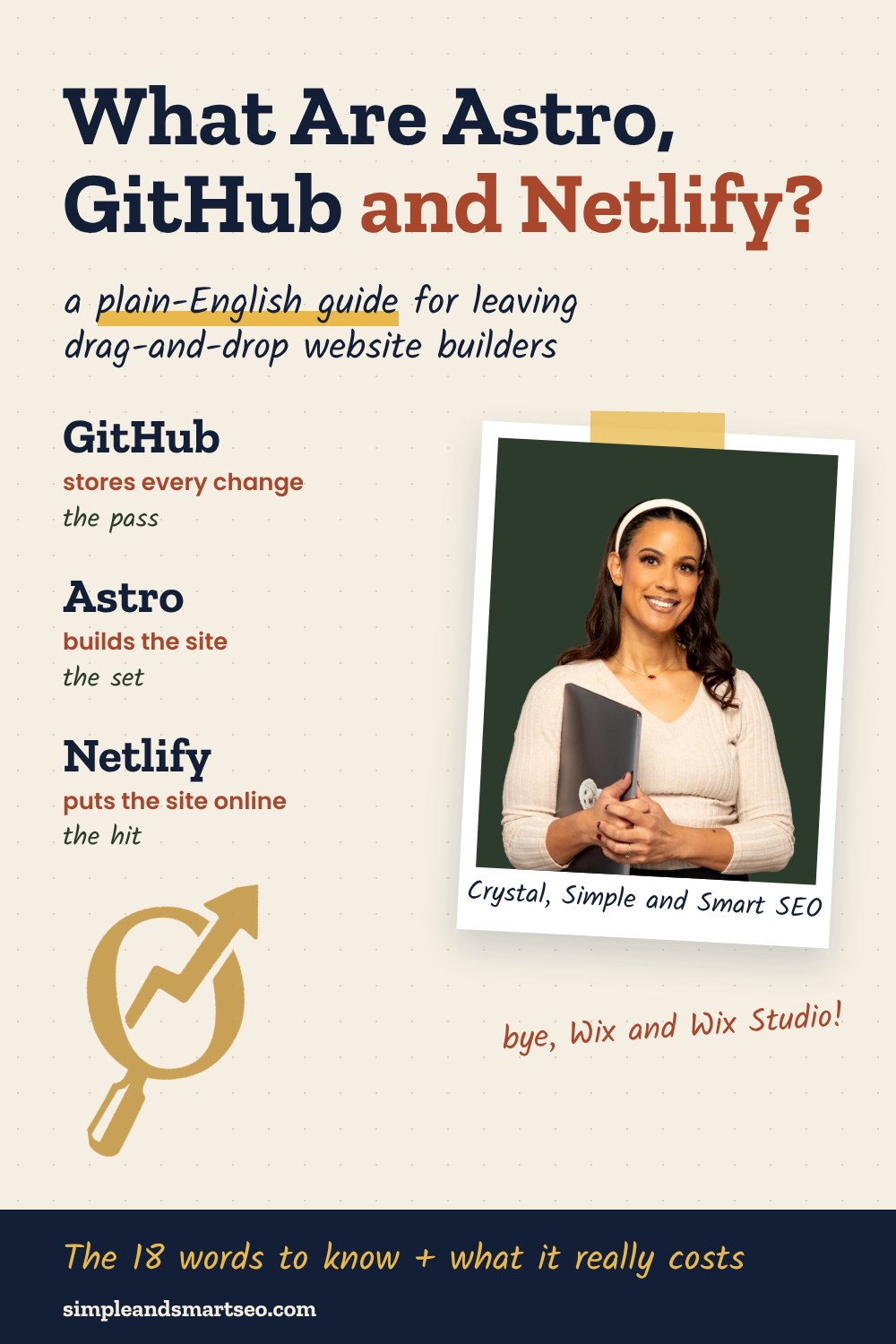
I coached volleyball, so here's how I think about these three tools: pass, set, hit. Astro is the set. You pass Astro the ball (your words, photos and blog posts in data files), and Astro sets everything up into finished web pages, following the page templates like a set play.
Why Astro matters for SEO:
- Fast pages. Astro sends visitors lightweight finished pages instead of piles of extra code, and Astro says sites built with Astro use about 90% less JavaScript than the same site built with the most popular React framework (Astro).
- Full control. Every SEO title, meta description, heading, image file name and bit of structured data is yours to set. Nothing is hidden behind a builder's settings menu.
- Made for content. Blogs and podcast episode pages are exactly what Astro was designed for.
One thing Astro is not: Astro is not a place to log in and drag boxes around like Wix. Astro is the builder, not the dashboard.
What is GitHub?
GitHub is where your website's files live online, with a saved history of every change. In volleyball terms, GitHub is the pass: every change goes to GitHub first. And like a good stat sheet, GitHub records every play, so you can always go back and see who changed what and when.
Three GitHub words to know:
- Repo. One folder that holds everything for one website: pages, templates, photos and data files. Mine is private, so only I (and the tools I connect) can see it.
- Commit. Every time a change is saved, GitHub keeps a commit with a short note, like "Add new blog post." If a change breaks something, the site can go back to an earlier commit.
- Main branch. The official copy of the site. Changes on the main branch are the ones that go live.
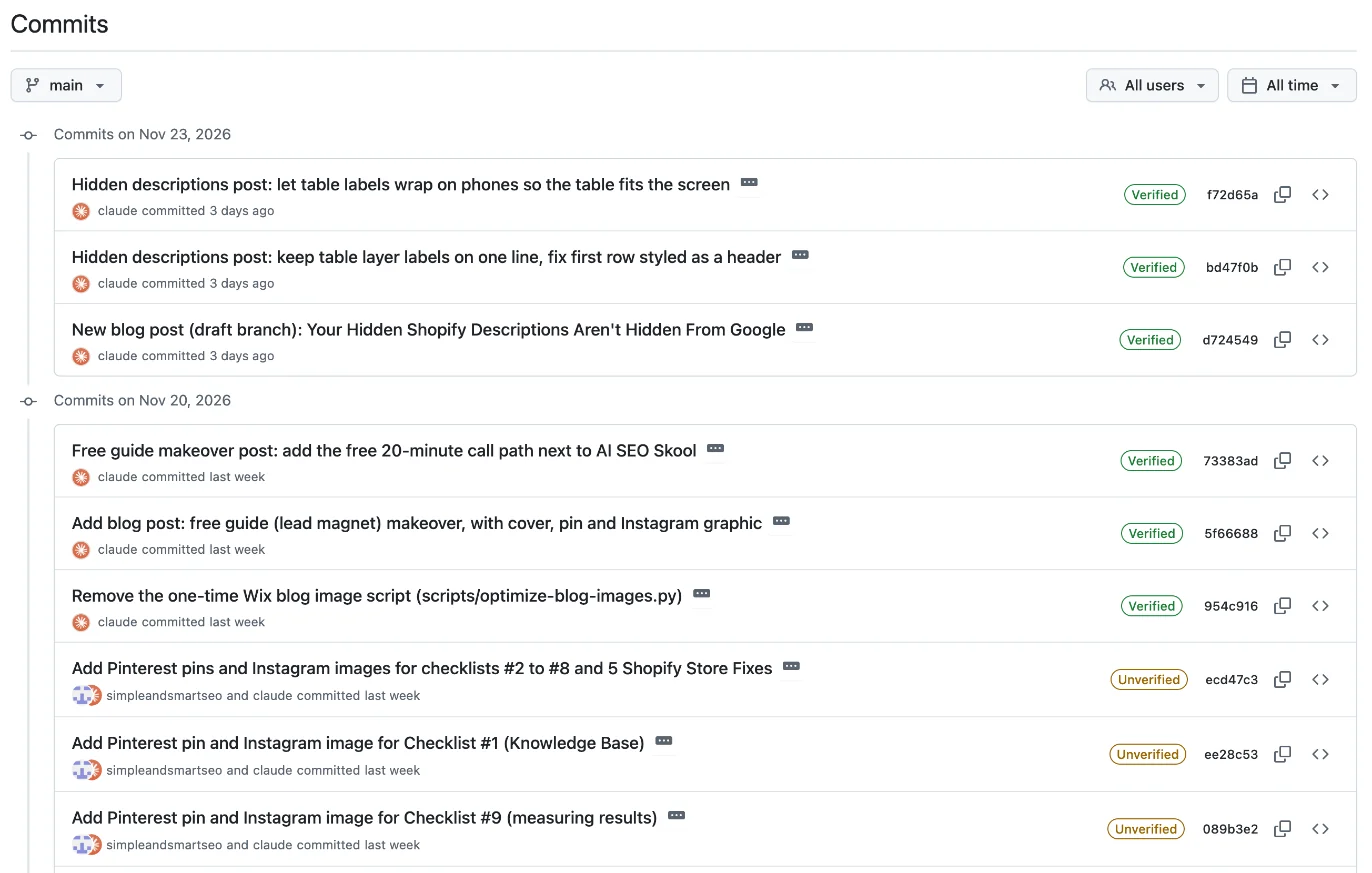
The big shift from Wix: on Wix, a change you published was just there. On GitHub, every change is saved, labeled and undoable. That history is why I also keep a plain-English change log, because commit notes are written for computers more than for busy business owners.
What is Netlify?
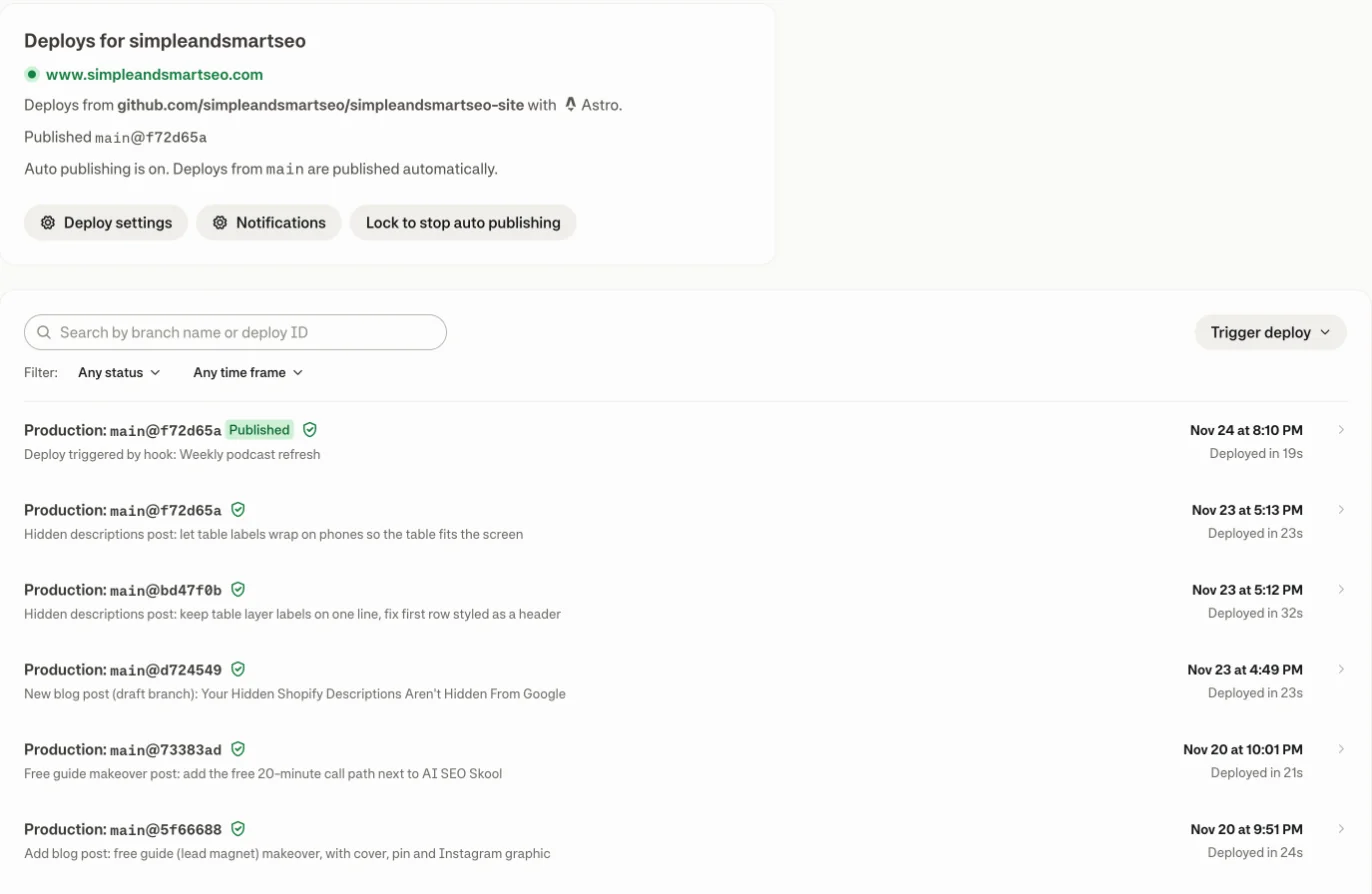
Netlify is the hosting company that puts the site online. Netlify watches the GitHub repo, and every time a change lands on the main branch, Netlify builds the site with Astro and publishes the new version. That publish is called a deploy.
If GitHub is the pass and Astro is the set, Netlify is the hit. Netlify puts your site over the net and in front of your visitors.
What to know about Netlify:
- Your domain can stay where it is. My domain is still registered at Wix. I only changed two DNS records so the address points to Netlify.
- Netlify runs on credits. Netlify plans include a monthly allotment of credits, and each production deploy uses 15 credits (Netlify pricing). The free plan has a 300-credit limit, which is about 20 deploys a month.
- When credits run out, updates stop. This happened to me: for almost a day, Netlify skipped every update, and nothing I published reached the live site. If a change doesn't show up, check your Netlify credits first.
- Extra credits cost money. I've run out of credits and had to buy more. That isn't terrible, but it can add up. Extra credits cost $5 for 500 on the Personal plan and $10 for 1,500 on the Pro plan (Netlify changelog). That works out to about 15 cents per deploy on Personal and about 10 cents on Pro.
- Save small changes for one deploy. If you're making small changes, wait to deploy until you're done, if possible. Ten tiny fixes pushed one at a time use 150 credits; the same ten fixes pushed together use 15. I learned this one the hard way. If you work with Claude, ask Claude to bundle your changes into one push.
How the three work together
Pass, set, hit. GitHub gets the pass, Astro sets the pages up, and Netlify puts the site over the net.
Here's what happens when I add a new blog post, from start to live site:
- The change gets made. The new post goes into the posts.json data file, along with its cover image.
- The change is saved to GitHub. That's a commit, pushed to the main branch.
- Netlify notices. Netlify sees the new commit on the main branch.
- Astro builds. Netlify runs Astro, which turns the data file and templates into finished pages.
- Netlify deploys. The new pages go live, usually within a couple of minutes.
- Visitors arrive. DNS at my registrar sends anyone who types simpleandsmartseo.com to Netlify.
You control when the site goes live. Nothing goes live until a change lands on the main branch, so the push to main is your "go" button. Two ways to hold changes until you're done:
- Push once at the end. Save each change along the way, then send everything to the main branch in one push. That's one deploy.
- Use a working branch. Put changes on a separate branch, a draft copy of the site. Netlify can show you a preview of the branch before anything goes live. When you're happy, merge the branch into main. That's one deploy.
If you work with Claude, say this at the start: "Don't push to main until I say go."
Do you need to know how to code?
Not the way you used to. I'm a beginner coder, and I make site changes by telling Claude what I want in plain English. Claude edits the files, checks that the site builds, and pushes the change to GitHub. What I do need is the vocabulary in this post, so I understand what Claude is telling me and can spot when something's off.
Here's what changed for me compared with Wix:
| Wix | Astro + GitHub + Netlify | |
|---|---|---|
| How changes get made | Drag and drop in the Wix editor | Plain-English requests to Claude, saved to GitHub |
| Undoing a change | Limited | Every change saved as a commit, so any change can be undone |
| SEO control | Inside Wix's settings | Every field, file name and bit of structured data |
| Bookings, email, forms | Wix apps | Separate tools (I use Cal.com and MailerLite) |
| What can go wrong | Wix outages and plan limits | Running out of Netlify credits, files edited by mistake |
And the bill: renewing my Wix website was going to cost close to $650, plus $30 a month for the Wix email plan. That's about $1,010 a year to stay on Wix. My domain costs $20 a year either way, so the domain cost doesn't change. Cal.com, the booking tool that replaced Wix Bookings, is free. MailerLite, which replaced Wix Email Marketing, costs $12 a month on the lowest paid plan.
Since launching in early November, I've spent $10 to $15 on Netlify, in a month full of changes. Even if I kept spending that much every month, the new setup would cost about $264 to $324 a year. That's about 70% less than staying on Wix.
The bigger win is speed. Since the move, I've added 14 new blog posts, so my blog grew from 42 posts to 56, about 33% more, in less than three weeks. I also added a new results page. And all 260 podcast episode pages were rebuilt better than the Wix versions: each episode page has its own description and an audio player, about 88% include the full transcript, and about 40% include a video player.
Don't forget to ask for the SEO pieces
Wix had SEO settings boxes on every page. Astro doesn't. Astro gives you full control of your SEO, but nothing gets filled in unless you ask for it. So every time you ask Claude for a new page or blog post, ask for these SEO pieces too:
- Meta title (SEO title). The clickable headline Google shows in search results. Aim for about 60 characters with your main keyword near the front.
- Meta description. The short summary under the meta title in search results. Aim for about 155 characters that make people want to click.
- Schema (structured data). Hidden labels in the page's code that tell Google and AI tools exactly what the page is: a blog post, a podcast episode, a service, an FAQ, a person. Schema helps search engines and AI answers understand and trust your content.
Want to go deeper on these SEO pieces?
- Schema: listen to my podcast episode Schema + Sitemaps with Crystal Carter, or see how I added FAQ structured data in my Shopify FAQ Page Makeover.
- Meta titles and descriptions: see Search Engine Optimization Do It Yourself.
- Checking your results after the move: see How To Use Google Search Console with a SWOT Analysis.
My site has schema for blog posts, podcast episodes, services, FAQs and me as the author. None of that schema shows up on its own. Each piece has to be built in.
Here's a prompt you can copy:
Build this page with a meta title under 60 characters, a meta description under 155 characters, and schema (structured data) that fits the page type. Show me all three before you push anything to main.
Is this setup right for you?
This setup isn't for everybody, and that's okay. Wix still makes sense if:
- You love dragging and dropping, and you'd rather see every change as you make it.
- You don't plan to use Claude (or another AI helper) to make changes for you.
- You run your store on Wix and don't want to move the store too.
This setup makes sense if:
- You publish a lot of content (blog posts, podcast episodes, landing pages) and want to publish fast.
- You want full control of your SEO: every title, description, file name and redirect.
- You're tired of paying for features you don't use.
Questions I had before I moved
Will I lose my Google rankings? Not if you plan your redirects. Keep your old page addresses wherever you can, and send every address that changes to its new home with a 301 redirect. I kept my blog addresses the same as they were on Wix, so my old posts stayed where Google already knew them.
Can I keep my domain? Yes. My domain is still registered at Wix. I changed two DNS records so my address points to Netlify, and that was it.
What happens to my Wix email? Move your email first. I already had Google Workspace, so I cancelled the Wix email plan. When you point your domain to Netlify, leave your email records (called MX records) alone, so your email keeps working.
Are Astro, GitHub and Netlify free? Astro is free. GitHub's free plan covers a private repo for your website. Netlify has a free plan with 300 credits a month, and you pay only if you need more credits.
How long did the move take? About 3 days, from the first file to the live site, working with Claude. Planning the pages and tools ahead of time made the build go fast.
What happens to my bookings and email list? Wix apps don't come with you, so each Wix app needs a new home. I moved bookings to Cal.com (free) and my email list to MailerLite.
Want help making the move?
You don't have to learn all of this alone.
Want my team to move your site for you? Book a free 20-minute call and we'll talk through moving your site off Wix, Squarespace or another drag-and-drop builder.